
How we judged
Most people searching for the best AI photo app or the best AI selfie app want a simple result: a photo that actually looks like them. An AI photo generator of yourself in 2026 can work in two ways. Some tools ask for a folder of ten to twenty selfies and make you wait while they train a face model. Other tools start from a single photo and return a result in seconds.
We ranked ten tools on one question: how fast and how well the app keeps your face. For every entry on this list, we look at four things: what the tool is, what it does well, what is missing, and who should use it. We also check whether you have to commit to a recurring plan or if the price shows before you run on a pay-as-you-go basis. You can see the full feature tables on our comparison page or read what each option leaves out on our alternatives overview.
The list, one tool at a time
1. Doppelshot
Doppelshot is a web app made by AitekLabs in Lithuania that turns one selfie into AI photos of you, then lets that photo talk in your voice, sing a jingle, or move as a short vertical video.
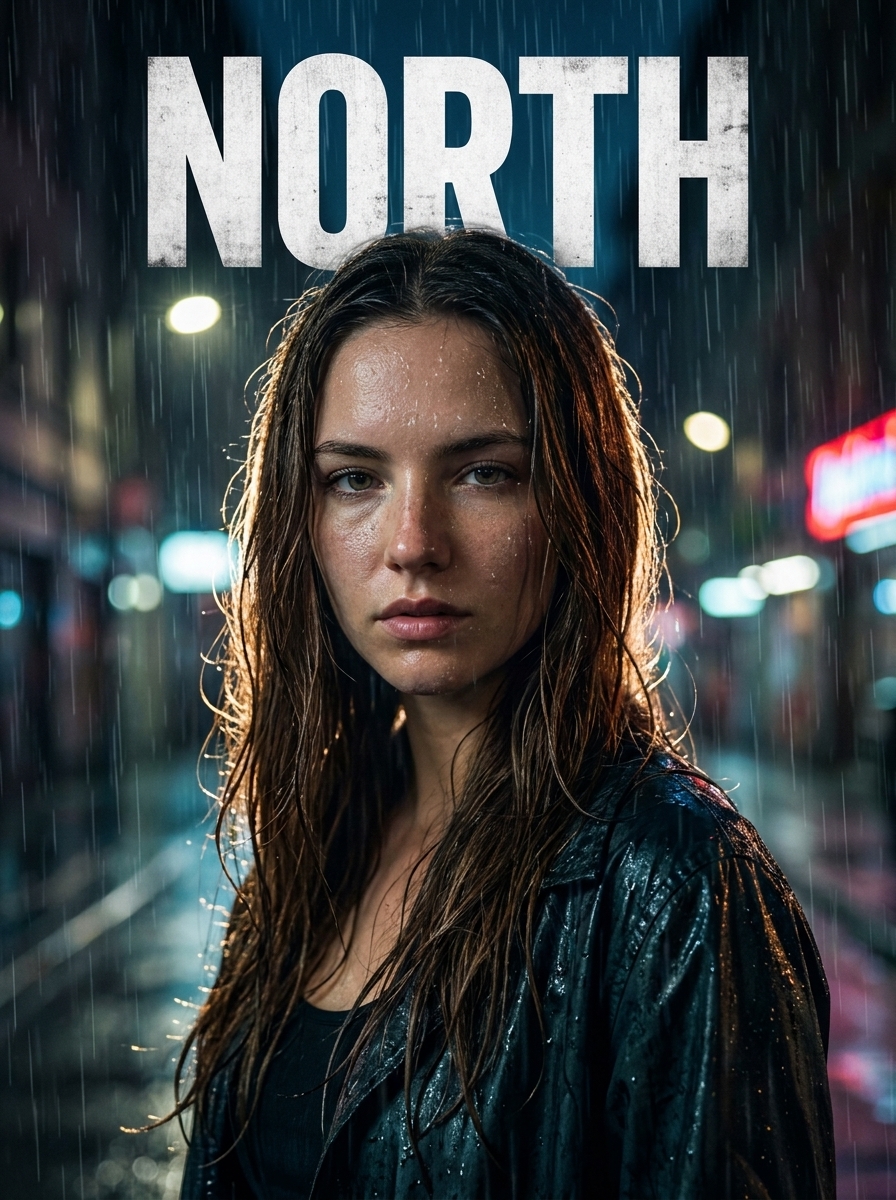
It is built for speed and likeness from a single upload. You pick a style such as a studio headshot, an anime portrait, a vintage film look, or a movie poster with your own title, and the result is ready in about twenty seconds. Couples and groups work on photo cards too. If you want to generate yourself across many custom scenes, you can create an optional AI twin from ten to twenty selfies in three tiers: an Instant twin with no training wait, a Studio twin that learns a face profile in a few minutes, or a Trained twin with downloadable weights. You get one free preview at signup with no card required. After that, it runs on credits with no required subscription, the price shows before you run, and every paid result includes a commercial license.
The gap is that Doppelshot has no mobile app in the stores, so you use it in your phone or desktop browser. It also has no manual photo editing suite, no public community feed, no text-to-video tool, and no REST API (an MCP server for AI agents instead). It is not built for ordering batches of fifty headshots at once without a plan, or for enforcing one company template across many employees.
It is for adults who want a fast, recognizable photo of themselves, a talking or singing video from that photo, and clear EU data privacy rules without a monthly lock-in.
2. Photo AI
Photo AI trains a personal model on a set of your photos and then generates images of you across more than a hundred themed photo packs. It includes editing tools like inpainting, relighting, and background removal, plus video generation on its highest tier.
It is good at volume and variety once your model is trained. The Doppelshot vs Photo AI comparison comes down to the first minute: Photo AI builds a reusable model first, while our web app starts from one selfie.
The gap is that Photo AI requires a training set of photos and a monthly subscription before you see your first result, with no free plan. Video is restricted to the top plan using preset voices rather than your own cloned voice, there is no singing photo feature, and you cannot buy simple pay-as-you-go credits.
It is for people who want a large library of preset photo packs and an editing suite under one monthly subscription, and who post enough photos every month to use it all.
3. Aragon
Aragon is an AI headshot service that expanded into a broader photo and video workspace. You upload a set of your photos, pay a one-time fee, and receive a batch of headshots in about thirty minutes, with extra photo packs, editing tools, and video models available on top.
It is good at producing a large batch of business portraits in a single order. You can see how the two workflows differ in our Aragon comparison.
The gap is the upfront effort and the wait. You must gather a full training set of selfies and wait half an hour before seeing how the face turns out. While Aragon offers image-to-video clips, it cannot make your photo talk from a script in a cloned voice or sing a song.
It is for someone who wants a large batch of business headshots in one go and does not need talking videos or quick single photos from one selfie.
4. Ideogram
Ideogram is a text-to-image generator known for accurate text rendering inside images. It includes a Character feature that keeps the same person from a single reference photo without training, alongside a short video app.
It is good at typography and single-reference likeness. In fact, our own movie poster card runs on Ideogram behind the scenes so your title renders cleanly. You can read more in the Ideogram breakdown.
The gap for personal photos is that Ideogram has no multi-selfie twin option for deeper consistency, no preset style cards tuned for portraits, and no way to make a talking or singing video of yourself from a script. Also, images on its free tier are public by default.
It is for people who design posters, logos, or graphics where the lettering matters more than the person, and who are comfortable writing prompts.
5. Higgsfield
Higgsfield is a creator video suite built around cinematic camera presets, lip sync, and a character model called Soul ID that keeps a consistent face.
It is good at directing short cinematic clips with preset camera moves after you complete the initial character setup. See the full Higgsfield comparison for a side-by-side look.
The gap is that the tool is video-first and heavy to set up if you just want a quick portrait. Its free tier gives no credits and adds watermarks, there are no pay-as-you-go credits without a plan, and it cannot generate a singing video on your own song.
It is for creators who produce cinematic short videos with camera effects first, and who treat still photos of themselves as secondary.
6. Gemini
Gemini is Google's general assistant. It uses Nano Banana image models to restyle a selfie or edit images by chat, and uses Veo to animate images into short video clips.
It is good for conversational editing and general tasks. Behind the scenes, our own cards also use Google Nano Banana models to generate portraits, as noted in our Gemini comparison.
The gap is that Gemini is a general chat interface rather than a dedicated portrait studio. There are no preset cards tuned to protect your likeness, so your face can drift from one prompt to the next. It can add a short synthetic voice line to a clip, but it cannot clone your voice for a full script or make your photo sing. On personal accounts, chat uploads can also be reviewed to improve Google's models unless you change your privacy settings.
It is for people who already pay for a Google AI plan and want one assistant for text, answers, and occasional image edits.
7. ChatGPT
ChatGPT is OpenAI's assistant with GPT Image built into the chat window. You can upload a selfie and ask it to restyle the image one prompt at a time.
It is good at following detailed text instructions and rendering words inside an image. We use GPT Image behind several of our own photo cards, which you can compare on the ChatGPT vs Doppelshot page.
The gap is face drift and the lack of video. When you generate by chat, your likeness shifts between images, and there are no preset styles for couples or groups. ChatGPT also makes no video at all since OpenAI closed Sora for subscribers in April 2026, so there are no talking, singing, or moving photos.
It is for people who already use ChatGPT Plus or Go for writing and coding and only want an occasional restyled image in the same window.
8. Lensa
Lensa is a mobile photo editing app whose Magic Avatars feature turns uploaded selfies into batches of stylized portraits.
It is good for phone-based skin retouching, filters, and painted or illustrated avatar packs. You can check the details in our Lensa comparison.

The gap is that Lensa only runs as a mobile app, and its avatar packs cost extra on top of a weekly or yearly subscription. While it can now start from one photo, the quality drops compared to uploading ten to twenty selfies. Its avatars lean toward stylized art rather than realistic photography, and it makes no video.
It is for phone users who want a mobile retouching editor first and treat stylized avatar batches as a bonus.
9. Remini
Remini is a mobile photo enhancer built to sharpen blurry or old pictures, with AI photo templates and filters added on top.
It is good at restoring damaged or low-resolution snapshots from your camera roll. We cover the differences in the Remini comparison.
The gap is that its AI photo generator requires a set of selfies and a weekly subscription. You are locked into fixed templates with no option to type your own scene, and it does not make talking or singing videos of you.
It is for people whose main goal is fixing old or blurry family photos on a phone.
10. Krea and Midjourney
We group Krea and Midjourney together at the end of the list because both are built for designers and artists rather than quick photos of a real person. Krea offers a realtime creative canvas, image enhancers, and lip sync tools. Midjourney is the benchmark for generating AI art from text prompts and reference images.
Both tools are good at open-ended visual design, illustration, and concept art when you want control over every parameter.
The gap is likeness and simplicity. In Midjourney, a reference photo still drifts away from your real face, images are public by default on standard plans, and there is no free trial. Krea requires reference setup and training to keep a person consistent. Neither tool offers one-click portrait cards from a single selfie or a singing photo on your own song.
They are for designers and prompt writers making art or scenes where keeping a real person's exact face is not the priority.
Which one for which need
- For one selfie in twenty seconds with no subscription, where the price shows before you run, plus talking or singing videos: Doppelshot.
- For a monthly subscription with over a hundred preset photo packs and built-in editing tools: Photo AI.
- For a one-time batch of thirty-minute business headshots from a folder of selfies: Aragon.
- For restoring blurry old photos on a phone: Remini.
- For graphic design with text on the image or pure AI art: Ideogram, Krea, or Midjourney.
FAQ
Do I still need to upload 10 to 20 selfies for an AI photo app?
No. Older headshot tools such as Aragon and Photo AI still require a set of selfies to train a model before your first result. Newer single-selfie workflows let you upload one clear photo of your face and get a studio headshot, anime portrait, or custom scene in about twenty seconds. Multi-photo training is only needed when you want a dedicated AI twin for dozens of consistent shots.
Which AI selfie app keeps my photos private?
Look at where the company is based and whether your uploads are public or used for model training. On Midjourney and Ideogram's free tier, generated images are public by default. On personal Gemini accounts, uploads can be used to improve Google's models unless you opt out. Doppelshot is operated by an EU company under GDPR: selfies stay in a private bucket, are never used to train platform models, and are deleted automatically ninety days after last use or immediately when you delete them.
Can an AI photo generator make my photo talk or sing?
Most photo generators stop at still images or silent clips. ChatGPT, Lensa, and Remini do not animate faces into talking clips, while Aragon and Midjourney only create motion without scripts. Doppelshot lets you type a script and pick from about thirty voices or clone your own voice for a talking video, or turn your portrait into a ten-second singing video.
Can I try an AI photo generator of myself for free?
Many tools removed their free trials because face training is expensive to run. Photo AI, Aragon, and Midjourney require payment upfront. Doppelshot gives every new account one free preview photo from a single selfie with no payment card required, carrying a visible mark for personal use, and the price shows before you run when you decide to buy credits for commercial, unwatermarked results.